

Overtime policy
Overtime policy helps you calculate overtime accurately and consistently, so payroll stays fair and compliant.
With overtime policy enabled, Camelo automatically applies your overtime rules and flags potential issues such as late clock-ins, overlapping shifts, or employees exceeding hour limits.
Add overtime policy
Computer
iOS
Android
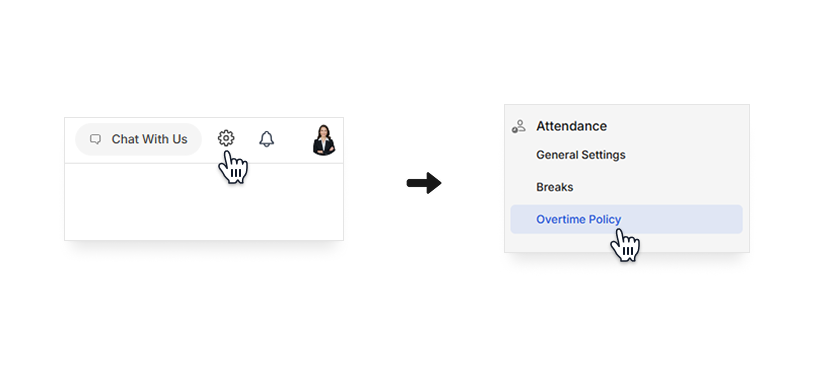
- Click the in the top-right corner of the page to go to Settings.
- Under the Attendance section, click Overtime Policy.
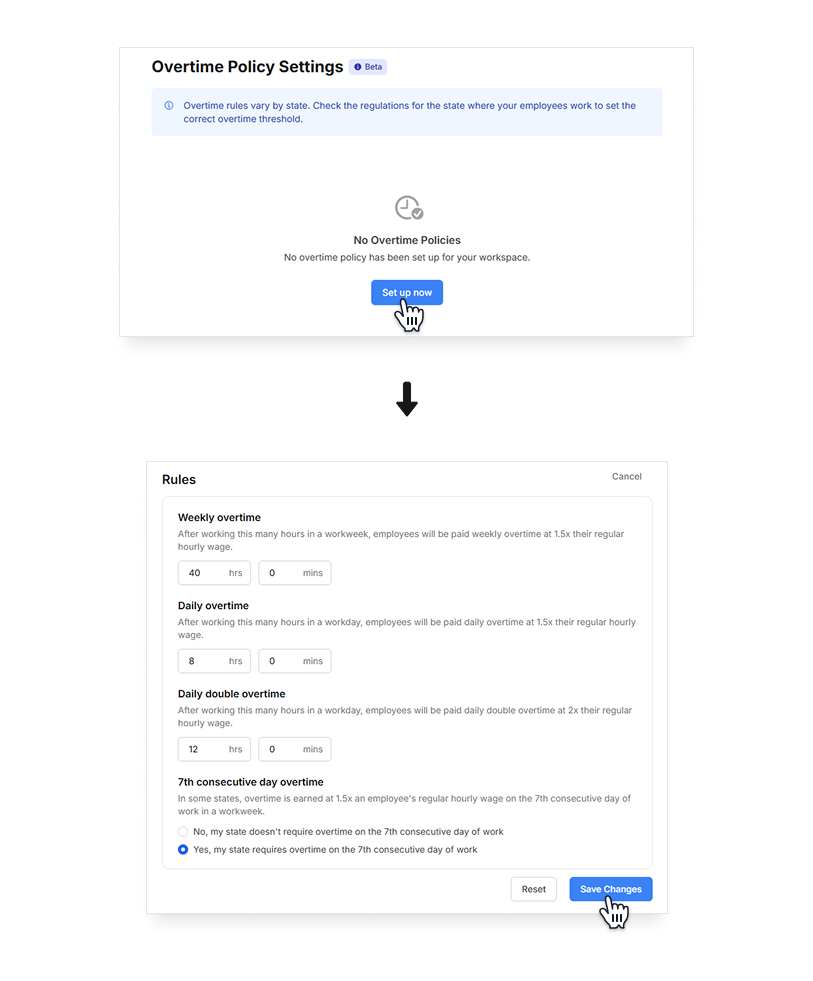
- Click on Set up now to add a new overtime policy. Then you can proceed to set up the rules for your policy.
- Click Save Changes when done.
This feature is currently only available on the Camelo web app.
This feature is currently only available on the Camelo web app.
Edit overtime policy
Computer
iOS
Android
- Click the in the top-right corner of the page to go to Settings.
- Under the Attendance section, click Overtime Policy.
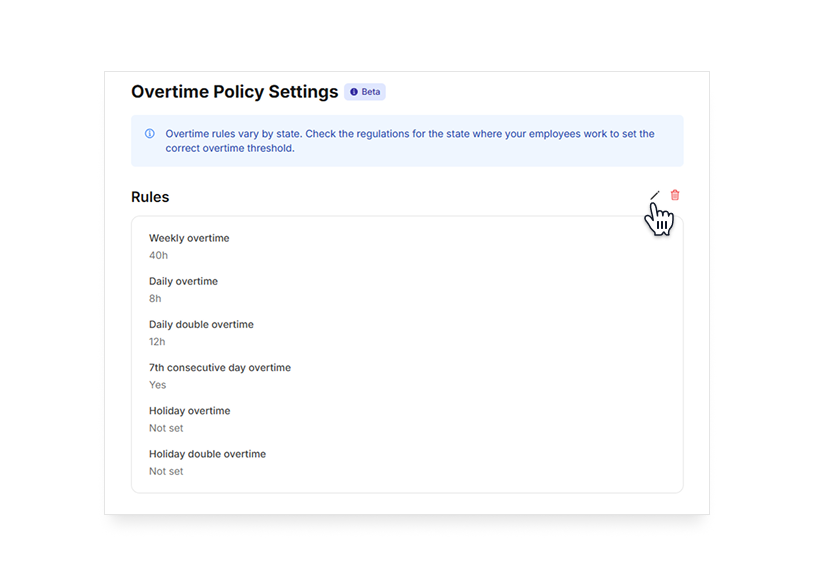
- Click the , make changes and click Save Changes when you’re done.
This feature is currently only available on the Camelo web app.
This feature is currently only available on the Camelo web app.
Delete overtime policy
Computer
iOS
Android
- Click the in the top-right corner of the page to go to Settings.
- Under the Attendance section, click Overtime Policy.
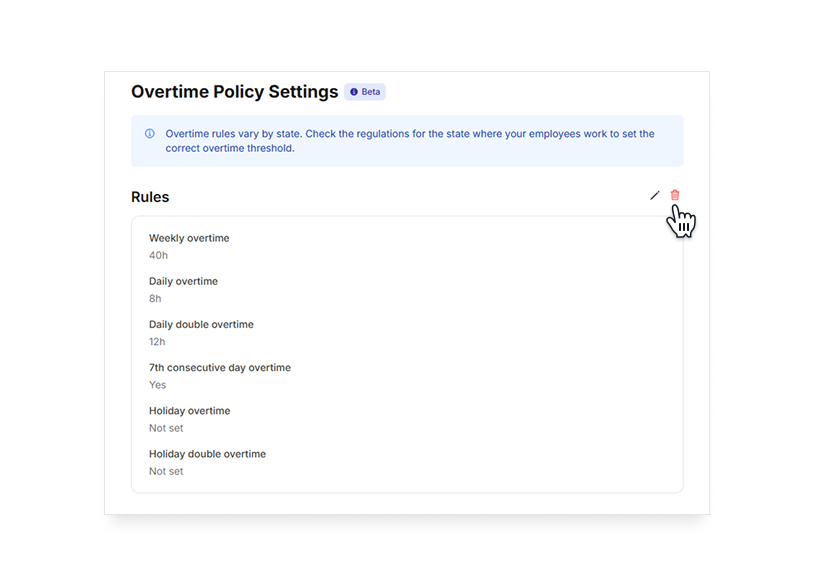
- Click the red , then click Yes to confirm that you want to delete the policy.
This feature is currently only available on the Camelo web app.
This feature is currently only available on the Camelo web app.
